1. Check Grain Quality Before Sewing
Grain alignment belongs to the cutting stage; the line you follow at the machine is the seam. Before cutting, rotate each pattern piece and read the cutting table's Grain Quality feedback. The official cutting image displays that feedback independently of the sewing machine's percentage.
If the grain reading is low, correct the placement before cutting instead of assuming perfect stitches will compensate. See the cutting guide for the alignment workflow.
2. Slow Down Before Curves and Corners
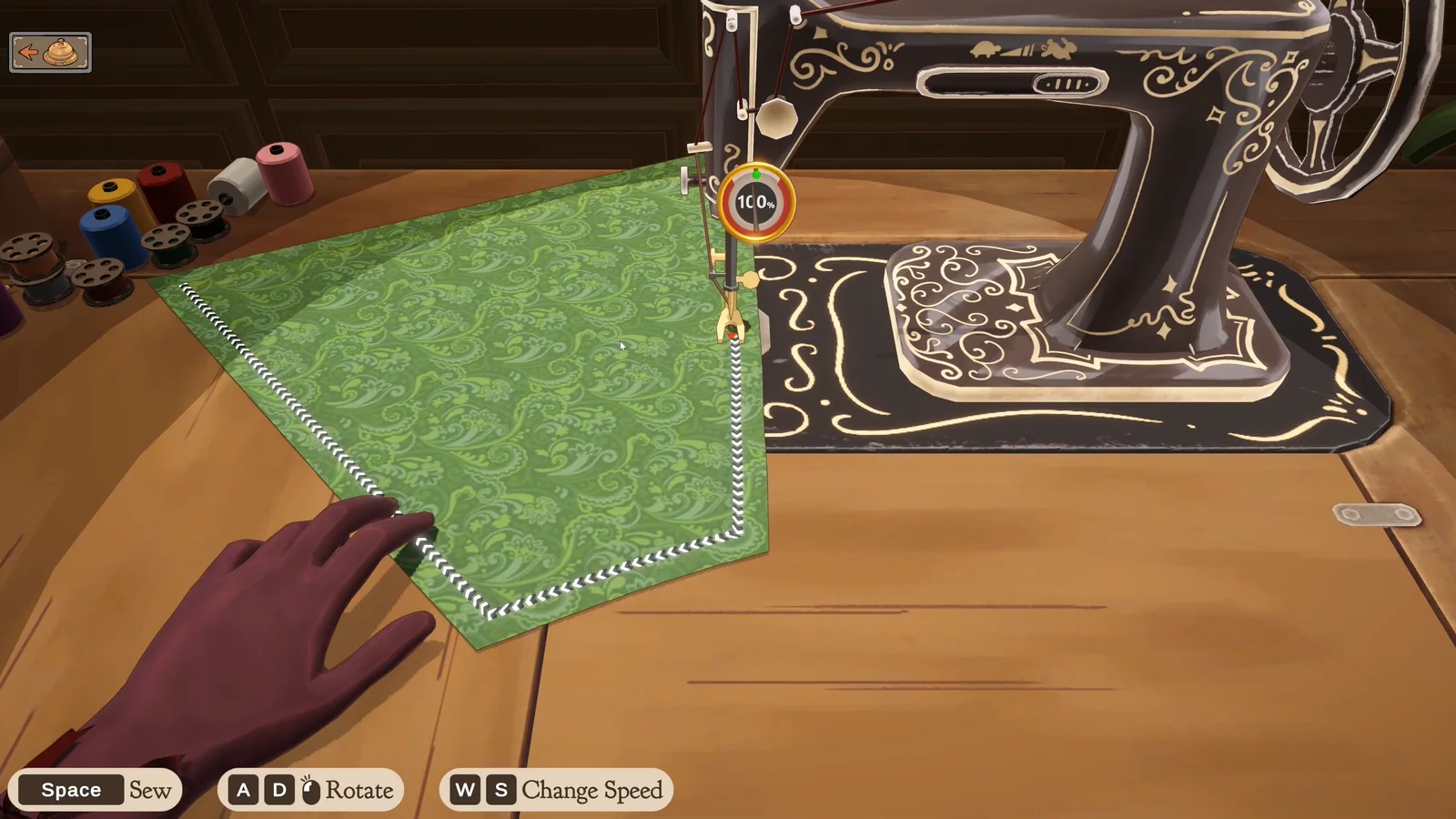
Watch where the seam changes direction. Reduce speed before the bend, rotate the fabric to line it up, then continue in short sections while watching the percentage. Build speed on a straight section only while the seam stays under the needle.
- Use the visible bindings: The released-game reference shows Space, A/D and W/S; follow your build's prompts if they differ.
- Keep the two checks separate: Read the sewing percentage here, rather than looking for cutting-table grain arrows.
The Into Indie Games launch walkthrough ↗ also recommends slower sewing and distinguishes it from grain quality. Its September 21, 2026 examples do not establish an exact scoring formula.
3. What to Check After a Bad Seam
Stop and realign before continuing if the needle is leaving the seam. Do not deliberately sew off the fabric as a guaranteed reset: that is not a verified route to a perfect finished garment.
Check the current sewing and assembly UI for the operation you want to redo. An assembly unsew action and a sewing-machine undo are different tasks; do not assume either restores the previous score or refunds material. For help controlling turns, use the version-specific sewing controls.
4. Check the Finished Dress Against the Order
A 100% reading at the machine answers the sewing question, not every commission requirement. Before handing over the dress, check the customer's quality target alongside the requested attributes, colours and accessories. These checks help you find the stage that needs attention without treating one percentage as the entire result.
Use the Customer Preferences Guide to review the brief and delivery steps. There is no guaranteed 100% final-quality recipe or verified universal weighting formula in this guide.